

Latest Updates

- See below for important tips and resources to make the most of your time at De Anza!
- Student services are available on campus and online: See how to reach student services.
- Find more programs and services: Check the Student Information Toolkit
- Bookmark this webpage and check back regularly for new updates
Important News
Park Free on Campus
Parking Fees Waived
Under a temporary policy, students can park for FREE on campus through the end of the 2025-26 academic year. Employees must obtain a parking permit to park in staff spaces. Students do not need a permit to park on campus, but cannot park in staff spaces.
Looking for Help With Food, Housing or Other Basic Needs?
The Resource Hub and Food Pantry have moved!
 If you're looking for help with meet basic needs – such as food, housing or other
services – stop by the Hub and Roary's Market in the Baldwin Winery building. Look for the entrance on the north side of the building, facing the A Quad and Stevens Creek Boulevard. (Financial Aid is
on the other side.)
If you're looking for help with meet basic needs – such as food, housing or other
services – stop by the Hub and Roary's Market in the Baldwin Winery building. Look for the entrance on the north side of the building, facing the A Quad and Stevens Creek Boulevard. (Financial Aid is
on the other side.)
- You can also find assistance online at deanza.edu/resources
Measure G Bond Projects
Visit the Measure G website for the latest information on various projects funded by the Measure G bonds.
Planning to Get an Associate Degree for Transfer?
If you’re a new student who declared an associate degree for transfer (ADT) as your goal, you’ll find a helpful sample education plan already loaded in your Degree Works account. Check it out and contact your counselor for assistance. (You can find your educational goal in the MyPortal Student Registration page and update it as needed.)
Are You Raising a Child?
Students who are parents can find helpful resources on campus and in the surrounding community by checking the new Resources for Student Parents webpage.
Need Tech Support?
Visit the Student Tech Support webpage for assistance with using MyPortal, getting a student email account, borrowing a computer, printing on campus and more!
Find Places to Zoom on Campus
 If you’re taking a mix of online and on-campus classes, you can count on having a place to Zoom on campus. We've designated several spaces on campus where you will find power outlets and a good Wi-Fi signal. Look for the Zoom Spaces sign or check the map to find a location that's convenient for you.
Retroactive Pass/No Pass Requests
De Anza has extended the deadlines for requesting Pass/No Pass retroactively for certain quarters during the COVID-19 pandemic.
- You can request Pass/No Pass retroactively for classes taken in
- Winter or spring of 2022
- Winter, spring, summer or fall of 2021
- Winter, spring, summer or fall of 2020
- Before choosing Pass/No Pass, there are some important things you should consider: For example, some transfer universities may not accept Pass grades for certain requirements. It's a good idea to meet with a counselor to discuss this and other options before selecting Pass/No Pass.
- To learn more about these important considerations and how to submit a request, visit our Pass/No Pass webpage.
Helpful Information
Upcoming Holidays
Most offices will be closed and there will be no classes on these holidays:
- September 4, 2026: Friday before Labor Day
- September 7, 2026: Labor Day
- November 11, 2026: Veteran’s Day
- November 26-27, 2026: Thanksgiving
Check the academic calendar for more dates and deadlines.
Resources for Online Learning
Online Education Center
- Online Learning Resources: Visit this site for tips, guides and answers to your questions about using Canvas, Zoom and other online learning tools that your classes may be adopting.
- Staying Organized: This webpage has advice for planning and staying on top of your online coursework.
- Canvas Help: Need technical support with Canvas? This page has information on how to get help.
- More Student Resources: Visit this page for more links and tips.
- Get Ready for Online Learning: This website has videos about getting "tech ready," managing your time, communicating with instructors and more.
Library and Reference Services
- Many Library resources are available online. Visit the Library website to learn more.
- Need reference help? You can chat online with a librarian, during designated hours. Visit the Library website and look for the red button.
Need a Computer or Tech Support?
- Check out the options to borrow a computer on campus by visiting the Need a Computer webpage.
- If you need software or tech support, visit the Student Tech Support webpage at deanza.edu/students/tech-support
- All De Anza students can get free access to Microsoft 365 software, including Word, Excel and OneDrive for online storage.
Tutoring and Skills Workshops
Tutoring and skills workshops are available via Zoom in many subjects.
- For Academic Skills, Listening and Speaking, Math and Science, Writing and Reading and General Subjects, visit the Student Success Center website.
- For tutoring help in Computer Information Systems (CIS) classes, visit the CIS tutoring webpage.
For tutoring after hours or on weekends: Visit the Student Success Center's Online Tutoring webpage for information about NetTutor via Canvas.
LEAD Guide to Online Learning
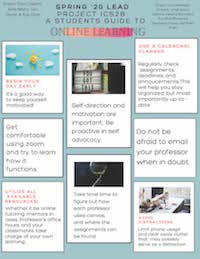 Students in the LEAD Learning Community put together a printable set of flyers with useful tips for studying online.
The guide includes advice for studying at home, creating online communities and self-care while studying at home.
Resources for Living and Basic Needs

Visit the Basic Needs webpage at deanza.edu/resources – or drop by the the Hub and Roary's Market in the Baldwin Winery building. Look for the entrance on the north side of the building, facing the A Quad and Stevens Creek Boulevard — to learn about food, housing, psychological services and other resources available to you.
- If you're a student who's also a parent, you'll find additional tips and resources at deanza.edu/resources/parents
- If you need a computer or tech support, visit the Student Tech Support webpage at deanza.edu/students/tech-support
- Find more programs and services by consulting the Student Information Toolkit at deanza.edu/students